How to Boost a Post on Instagram in 2026 (and When to Run a Proper Meta Ads Campaign Instead)
How the Instagram Boost button works in 2026, what it can and can't do, and how to turn a post into a proper Meta ads campaign with the right objective, budget and tracking.
On this page▼
- How to Boost a Post on Instagram, Step by Step
- Link a Facebook Page and an ad account
- What a Boost Can and Can't Do
- When Boosting a Post Makes Sense
- The Better Way: Run Your Post as a Proper Campaign
- Step 1: Set up tracking first
- Step 2: Choose the right objective
- Step 3: Set the budget
- Step 4: Keep the audience broad
- Step 5: Use Advantage+ placements
- Step 6: Use your existing post
- Step 7: Let it run
- Your First Campaign: Test Creative, Not Just One Post
- How Much Does It Cost to Boost a Post on Instagram?
- Common Boosting Mistakes
- Frequently Asked Questions About Boosting Instagram Posts
- From Boosting to Real Results
To boost a post on Instagram, open the post on a professional account, tap Boost, choose a goal, an audience, a budget and a duration, then confirm. A boost can bring more profile visits, website visits or messages, but it can't optimize for purchases, leads or bookings. When you want customers rather than attention, run the same post as a proper campaign in Meta Ads Manager, where you choose an objective like Sales or Leads and keep the post's likes and comments.
| Question | Short answer |
|---|---|
| What you need | A professional Instagram account, business or creator, and ideally a linked Facebook Page and ad account |
| Boost goals | More profile visits, more website visits or more messages |
| What a boost can't do | Optimize for purchases, leads or bookings on your website |
| Budget I'd test with | About $5 to $15 a day for 5 to 7 days |
| Where to pay | On desktop or in a browser, since boosts bought in the iPhone app have carried Apple's fee |
| Better option for sales or leads | A Sales or Leads campaign in Meta Ads Manager using the same post |
| Keep the likes and comments? | Yes, choose Use existing post when you set up the ad |
Last updated: 27 October 2026.

Victoria Alenich · Meta Ads Consultant · $35M+ · Work with me
Victoria Alenich
Meta Ads Consultant · $35M+ managed · Work with me
I've managed $35M+ in Meta ad spend across 50+ brands, and the Boost button is where most small businesses start. It's right under every post, it takes a minute, and it feels safe. It's also the reason many business owners tell me Instagram ads don't work for them, because a boost asks Meta for visibility while the business needs customers.
This guide shows you how to boost a post properly, when boosting is a sensible choice, and how to turn the same post into a proper campaign once you want sales, leads or bookings. For the full comparison of both tools, read my guide to Facebook ads vs boosted posts.
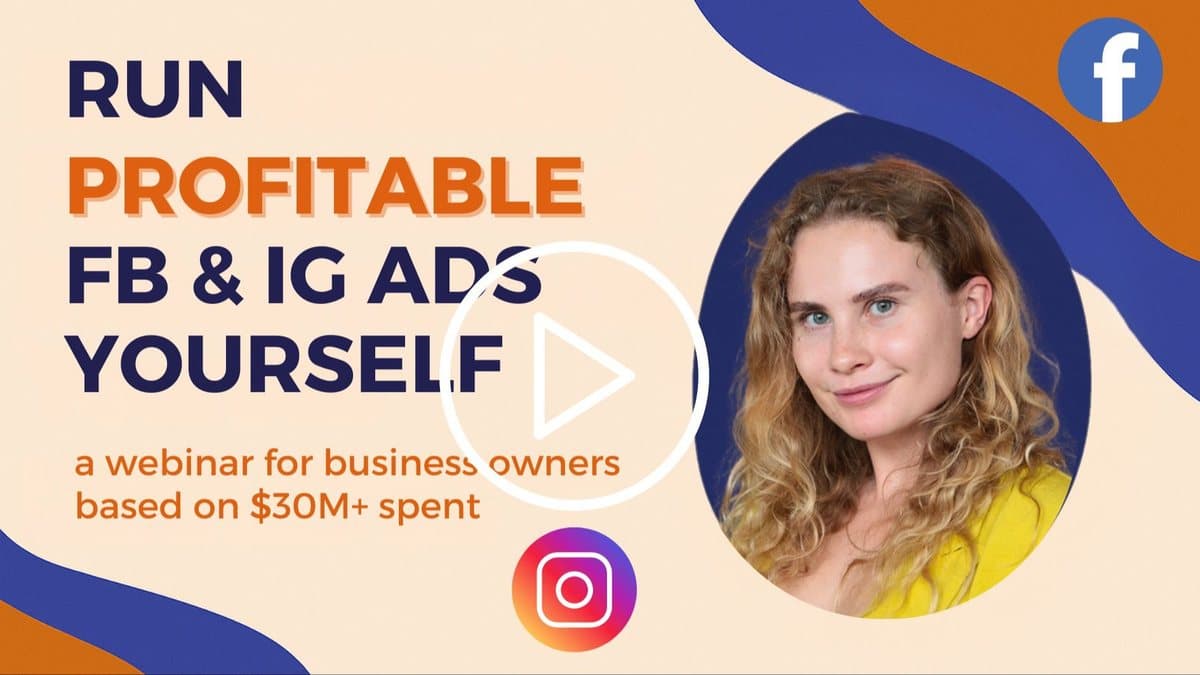
Watch my free 63 minute Meta Ads Foundations Training, where I show how Meta decides who sees your ads, how to set up tracking and how to test creative.
How to Boost a Post on Instagram, Step by Step
The boost flow changes from time to time and can look slightly different in your app, but the steps are usually these.
- Switch to a professional account. Personal accounts can't boost, so go to your settings and switch to a business or creator account.
- Open the post, Reel or Story you want to promote and tap Boost under it.
- Choose your goal. Instagram usually offers more profile visits, more website visits or more messages.
- Choose your audience. You can let Meta find people automatically, target people near you, or create your own audience by location, age and interests.
- Set your budget and duration, for example $10 a day for 5 days, and check the estimated reach.
- Review and pay. Check the preview, add or confirm your payment method, and tap Boost.
- Wait for review. Meta checks the ad against its advertising policies, and once it's approved, your post shows the Sponsored label.
Most posts can be boosted today, but certain music, interactive stickers or other elements can still block a boost, and Instagram shows you the reason when that happens. My guide to Meta ad specs covers the sizes that work best for feed posts, Stories and Reels.
✅ Pay on desktop, not in the iPhone app
Boosts bought inside the Facebook or Instagram apps on an iPhone have carried Apple's 30% fee since 2024. Paying on desktop or in your browser avoids that extra cost.
Link a Facebook Page and an ad account
Even if you only want to advertise on Instagram, I always recommend connecting a Facebook Page and a Meta ad account in a business portfolio. The Facebook Page is your business identity in the Meta ecosystem, and the ad account keeps your boosts, campaigns, payments and reporting in one place. It also means your boosts appear in Ads Manager, where you can see the results next to your other campaigns.
What a Boost Can and Can't Do
A boost tells Meta to find people who are likely to take the goal you chose, so the goal decides who sees your post. That's the key to understanding when boosting helps and when it holds you back.
| Boost goal | What Meta looks for | When it makes sense |
|---|---|---|
| More profile visits | People likely to tap through to your profile | Building awareness for a new account or a creator |
| More website visits | People likely to click the link | Getting traffic when you can't track sales yet |
| More messages | People likely to send you a DM | Businesses that sell or book through Instagram messages |
Here's what's missing. There's no goal for purchases, leads or bookings on your website, so Meta never learns who your buyers are. Your optimization event is your targeting, because Meta studies the people who complete the event you choose and finds more people like them. Optimize for clicks or visits, and you get people who like to click, who are often not the people who buy.
Boosts also give you little control. You can't build detailed custom audiences inside the boost, test several creatives against each other, choose individual placements like Reels or Stories, or see your real cost per customer.
When Boosting a Post Makes Sense
Boosting is a perfectly reasonable choice in a few situations.
- Your business runs through DMs. If you're a photographer, a designer or a local service taking inquiries in Instagram messages, a boost for messages fits how you sell.
- You don't have a website yet. Without a website and tracking, you can't optimize for conversions anyway, and a boost beats not advertising at all.
- A post is already doing well organically. Boosting can extend its reach, although running it in Ads Manager usually gets more from it.
- You want to test whether paid reach works for your content. A small boost of around $20 is a fair experiment, as long as you treat it as a test.
For any business with a website and a goal of sales, leads or appointments, a proper campaign is the better tool.
Thinking about trying Meta ads? Start here.
Watch the free Meta Ads Foundations Training to understand tracking, creative and testing before you commit to a course or consulting.
The Better Way: Run Your Post as a Proper Campaign
A proper campaign takes a few more minutes, but it lets you tell Meta what a result really is. Think of the structure like a waterfall with three levels. The campaign is your goal, the ad set holds your rules, and the ad is your message.
Step 1: Set up tracking first
Before you spend anything, install the Meta pixel and the Conversions API on your website, so Meta can see purchases, leads or bookings. If you sell through Shopify or a similar platform, the official integration does most of this for you. My Meta pixel and Conversions API guide walks through the setup.
Step 2: Choose the right objective
In Meta Ads Manager, start a new campaign and choose the objective that matches your business goal.
| Your goal | Objective | Optimize for |
|---|---|---|
| Online sales | Sales | Purchases, or AddToCart while purchases are still rare |
| Inquiries, sign ups or bookings | Leads | Leads on your website or in an instant form, or a qualified lead event |
| Messages that turn into sales | Engagement or Leads with a messaging destination | Conversations in Instagram, Messenger or WhatsApp |
| App installs | App promotion | Installs or an important event inside the app |
| Reach and awareness only | Awareness | Reach, when you deliberately want visibility |
I never choose page views or ViewContent as an optimization event, because Meta then finds people who browse rather than buy. The event you choose also needs to happen often enough for Meta to learn, ideally 30 to 50 times a week per ad set.
Step 3: Set the budget
For a first campaign I use one campaign with Advantage+ campaign budget, so Meta moves the budget to whatever works best, and the Highest Volume bid strategy, because you need data quickly. Start with what you can invest today, whether that's €10 or €100 a day.
As your campaign grows, use a simple rule of thumb. Your daily budget should be at least three times your target cost per result, so if you're aiming for leads at €20, plan for at least €60 a day.
Step 4: Keep the audience broad
Use Advantage+ audience with your location and a minimum age, and let your creative and your optimization event do the targeting. Narrow interests shrink your audience and make it more expensive, as I explain in my guide to Meta ads targeting in 2026.
Step 5: Use Advantage+ placements
Let Meta show your ad across Instagram Feed, Stories, Reels and Facebook, then check the placement breakdown once you have data. Make sure you have a vertical 9:16 version of your post, because square videos in Stories and Reels waste half the screen.
Step 6: Use your existing post
At ad level, choose Use existing post and select your Instagram post. The ad keeps its likes, comments and shares, so you don't lose the social proof you built, and new engagement from the ad adds to the original post.
Step 7: Let it run
Give the campaign five to seven days before you judge it, and don't change anything in that time. If your target is €10 per result and you're getting results for €15 to €20, that's promising, while €40 to €50 means you need to test new creative.
Your First Campaign: Test Creative, Not Just One Post
One boosted post tells you very little, because you only test one idea. My recommendation for a first campaign is a simple creative test.
- Create one campaign with Advantage+ campaign budget.
- Add 3 or 4 ad sets with broad targeting and Highest Volume bidding.
- Put a genuinely different creative concept in each ad set, with different value propositions, visual styles or messages.
- Run it for at least five to seven days without touching it.
- Move on to a fuller structure once you've found a creative that gets you within 1.5 to 2 times your target cost per result.
Getting your first campaign running matters more than getting it perfect. Every result teaches the algorithm and you something about who buys from you.
💡 Boost reach, run campaigns for results
If the only thing you want is more people seeing a post, boosting is fine. If you want people to buy, book or sign up, tell Meta that with a proper objective, and let it find those people for you.
How Much Does It Cost to Boost a Post on Instagram?
You set the budget yourself, from around $1 a day depending on your currency, and you pay for the impressions your post gets. A tiny budget rarely tells you anything, so for a boost I'd test with about $5 to $15 a day for 5 to 7 days.
What you get for that money depends on the auction, your audience, the time of year and above all your creative. My guide to how much Instagram ads cost explains the 2026 prices and how to work out a budget that fits your goal.
Common Boosting Mistakes
- Boosting every post. Small boosts without a clear goal add up over a year and teach you very little.
- Judging success by likes. Likes and comments feel good, but they don't show up in your bank account.
- Boosting when you have a website and a sales goal. Without a conversion objective, Meta never learns who your buyers are.
- Paying in the iPhone app. Use desktop or your browser to avoid the extra app store fee.
- Using square or horizontal videos for Stories and Reels. Vertical 9:16 fills the screen and performs better.
- Changing the boost every day. Like any Meta ad, a boost needs a few days of stable delivery before you can judge it.
Frequently Asked Questions About Boosting Instagram Posts
Switch to a professional account, open the post, Reel or Story, and tap Boost. Choose a goal, such as more profile visits, website visits or messages, then pick an audience, set a budget and a duration, review the preview and confirm. Meta reviews the ad before it starts running.
From Boosting to Real Results
Boosting is a fine first step when you want more people to see a post. When you're ready for customers, choose an objective that matches your goal, set up tracking, keep your targeting broad and test a few genuinely different creatives.
If you'd like to learn how Meta decides who sees your ads before you spend more, my free Meta Ads Foundations Training covers tracking, creative and testing step by step.
Start with the free training
Watch my free 63 minute Meta Ads Foundations Training, where I show how Meta decides who sees your ads, how to set up tracking and how to test creative.

Victoria Alenich
Meta Ads consultant who has managed $35M+ in ad spend across 50+ brands including foodspring and Asana Rebel. Specializing in creative strategy, campaign architecture, and AI-powered ad workflows for brands spending $10K+/month.